Kiosk
A kiosk: every product stands on its own bright tile, shelved in big rounded panels of colour, named in heavy condensed capitals.
Open a demo shop
One visit, from the first look to the cart
The pictures show the clothing shop.
The home page on a desktop
The first thing a visitor sees: built from the sections you arrange in the admin, in Kiosk’s own type and colour.
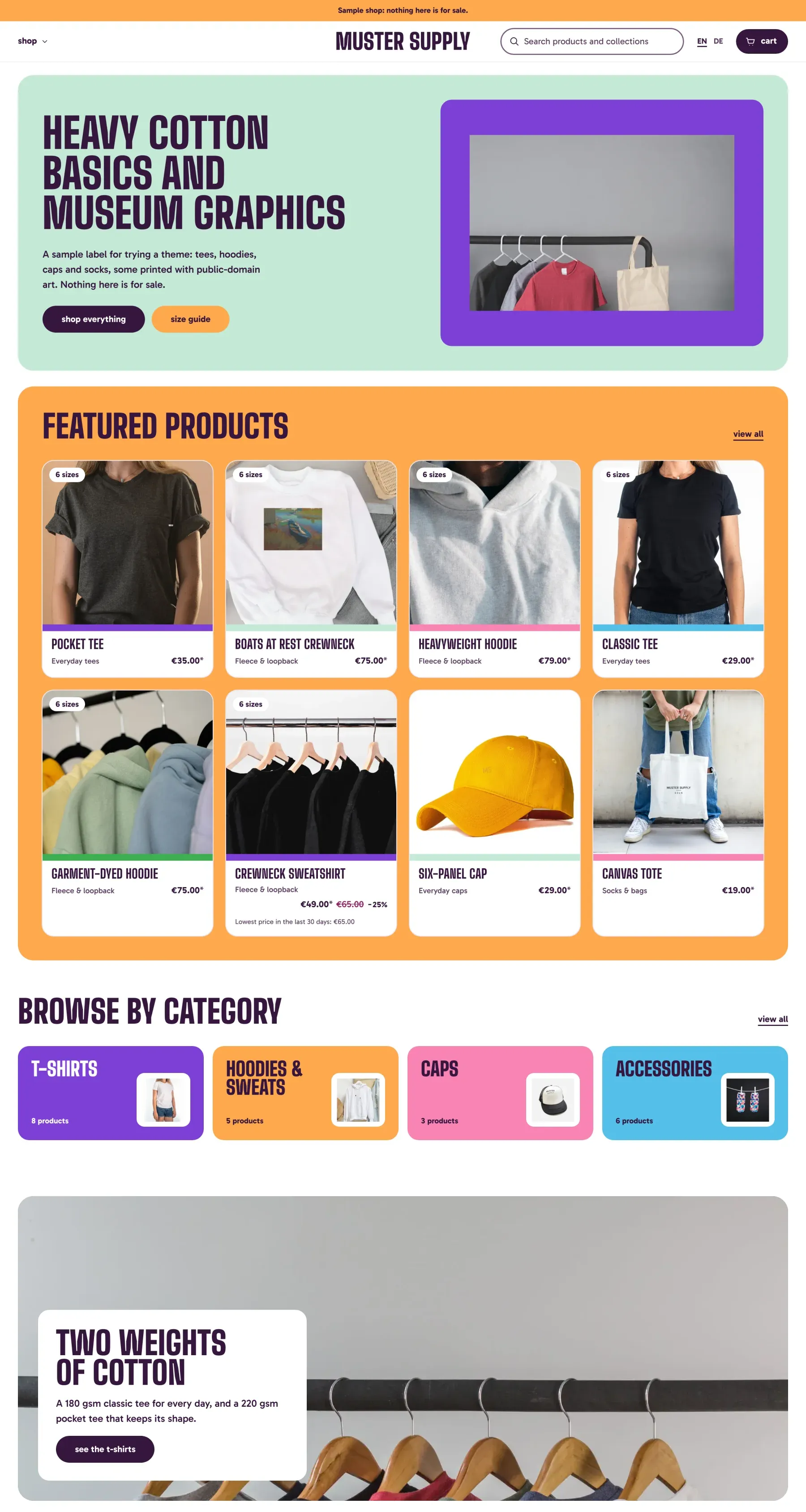
Desktop, 1440 px wide All products on a tablet
Every product in one place, with the filters your catalogue needs, laid out for a tablet held upright.
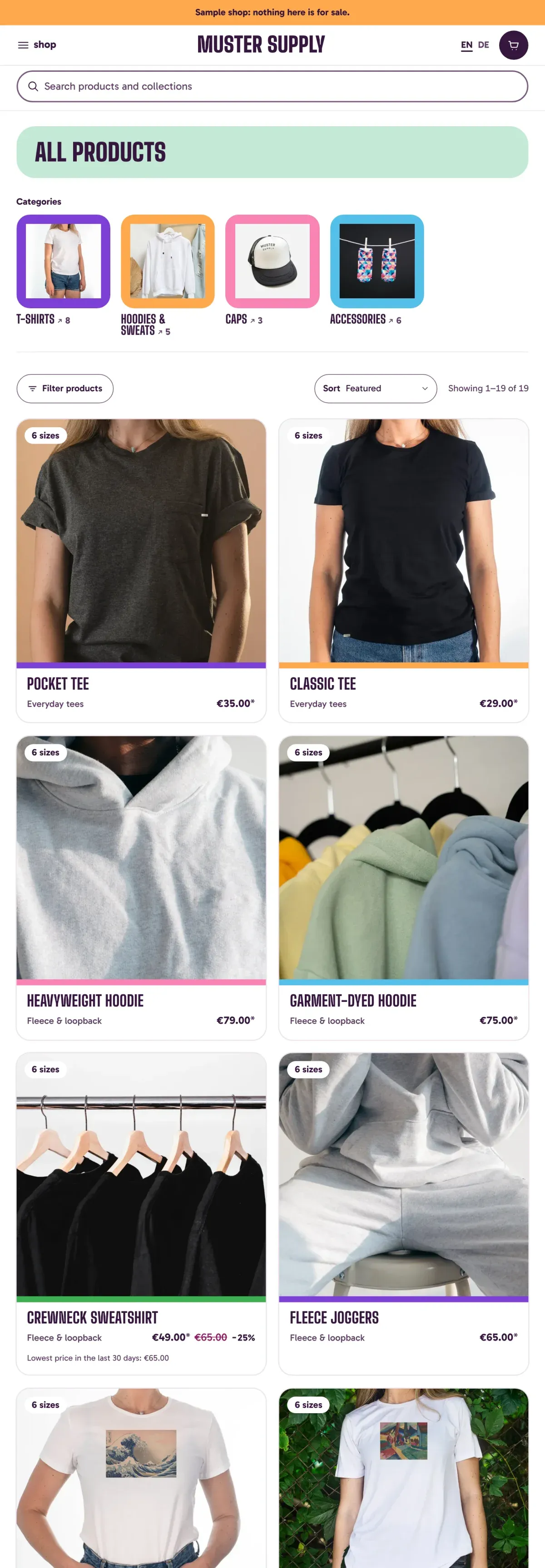
Tablet, 820 px wide A product page on a phone
Pictures first, then the choices and the price, with VAT, shipping and delivery time right beside it.

Phone, 390 px wide The cart on the same phone
The cart lives in the browser, so nobody needs an account and it is still there tomorrow. Payment happens on Stripe’s own page.
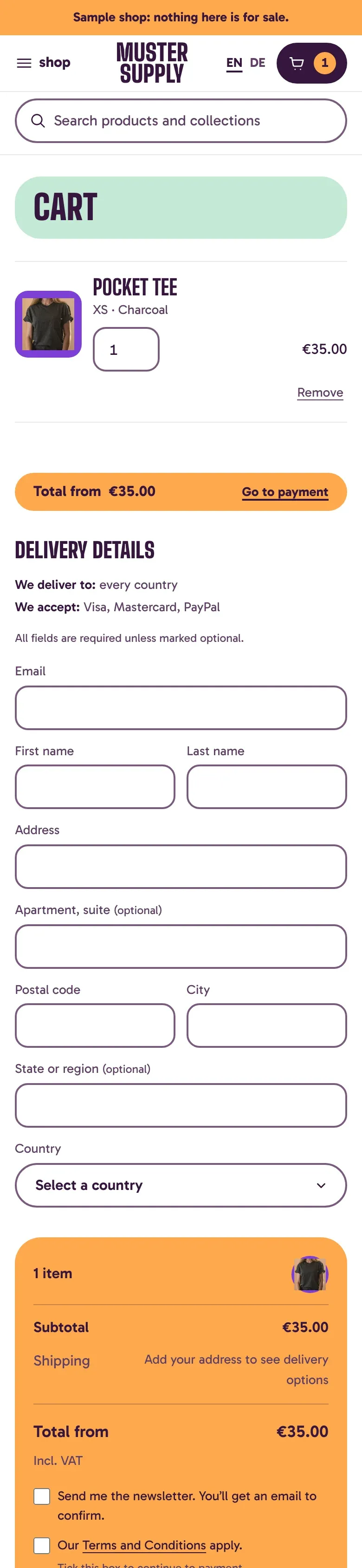
Phone, 390 px wide
The demo shops are invented businesses with freely licensed pictures. Nothing in them is for sale.
See it with your own products in mind.
A call where I show you the admin and the themes, you tell me what you sell, and I tell you honestly whether it fits.